


GetSiteControl combines seven most popular Blogger plugins and widgets: email opt-in forms, live chats, custom contact forms, Follow and Share social media buttons, online surveys, popups and floating bars.
In order to be able to publish widgets on your blog you need to add a small piece of code into the code of the page. You will need to do this only once. This will allow you to create and edit widgets in the dashboard — the changes you make will be applied to your blog in real time.
Here are the steps to install GetSiteControl on a blog built with Blogger:
Step 1
Sign in to your GetSiteControl account. If you do not yet have an account, create one.Step 2
Click the Site settings link at the top of the page and switch to the Install tab.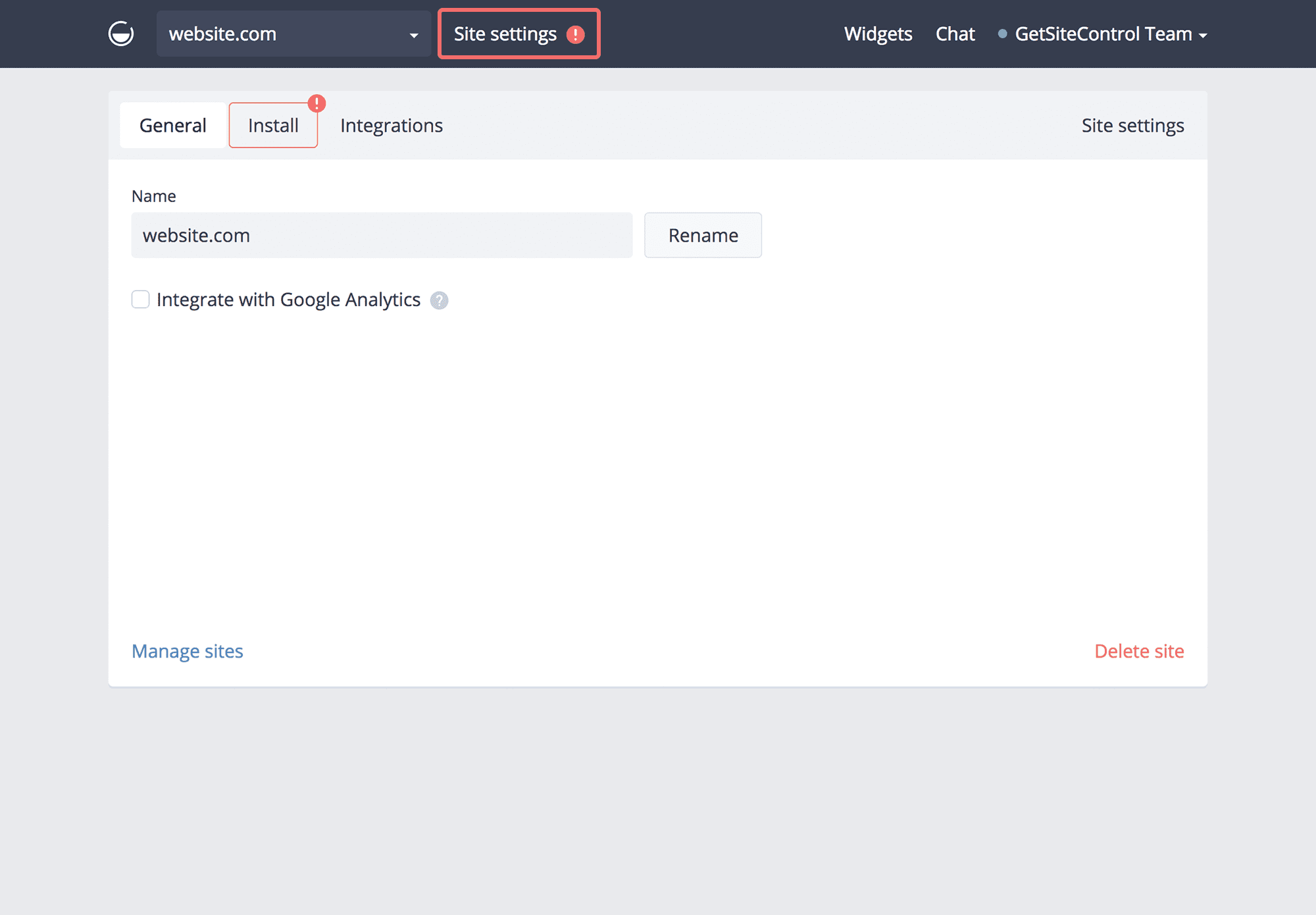
Step 3
You will see a a piece of code that needs to be added to the code of your blog: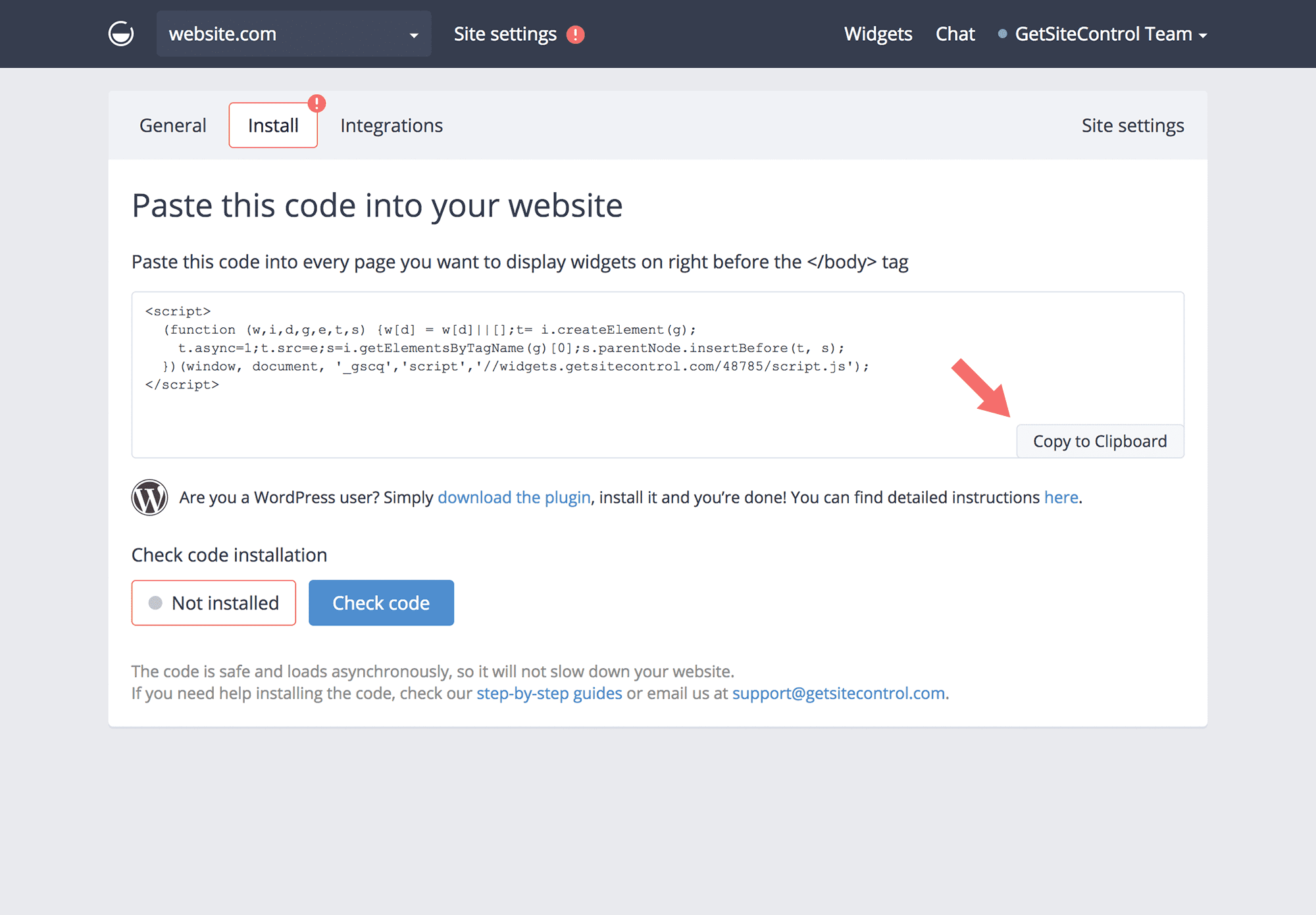
Step 4
Login to your Blogger account, choose the necessary blog and switch to Theme. Click the Edit HTML button.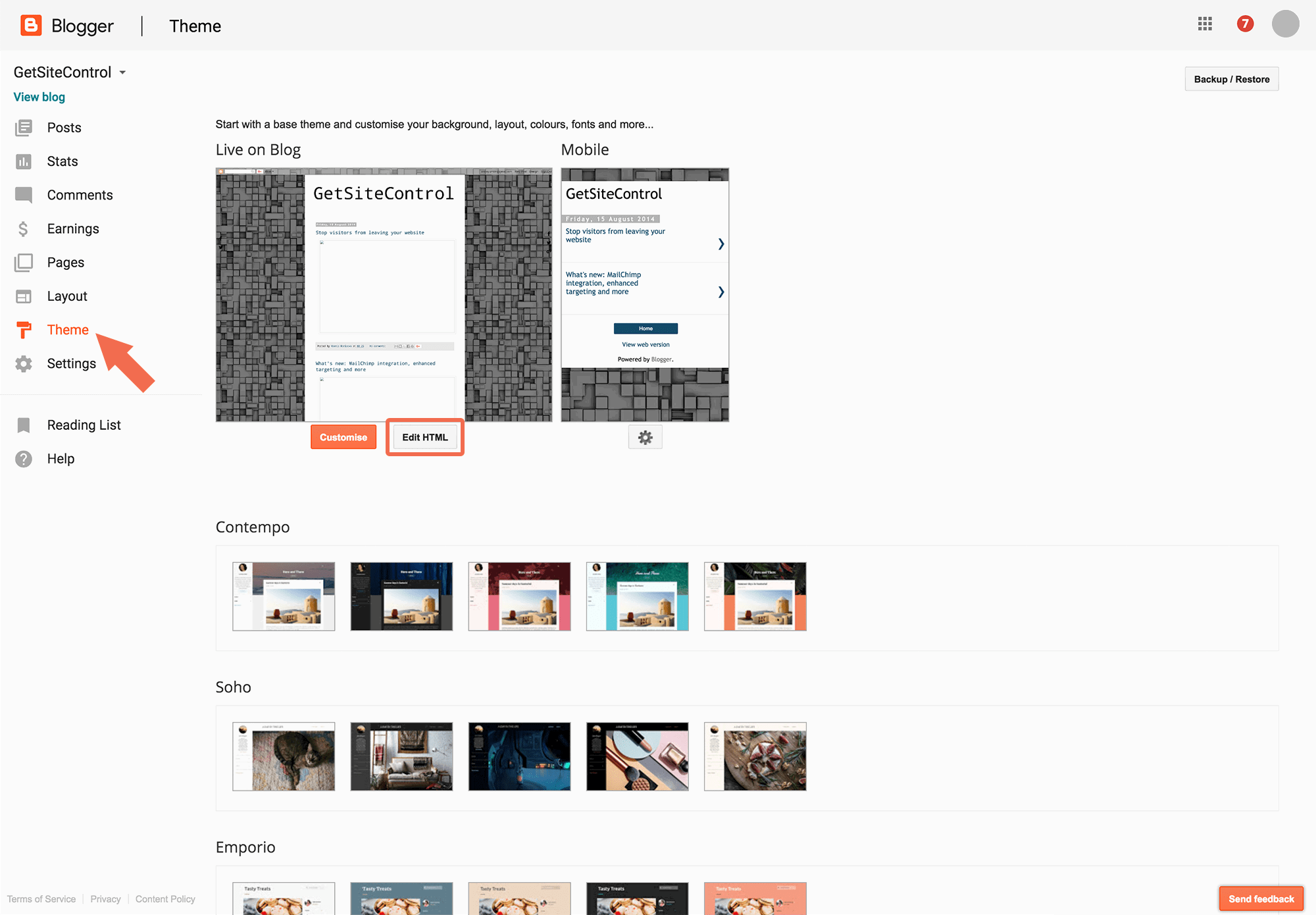
Step 5
Find the closing</body> tag at the bottom of the page and paste the code you've copied from GetSiteControl right before this tag.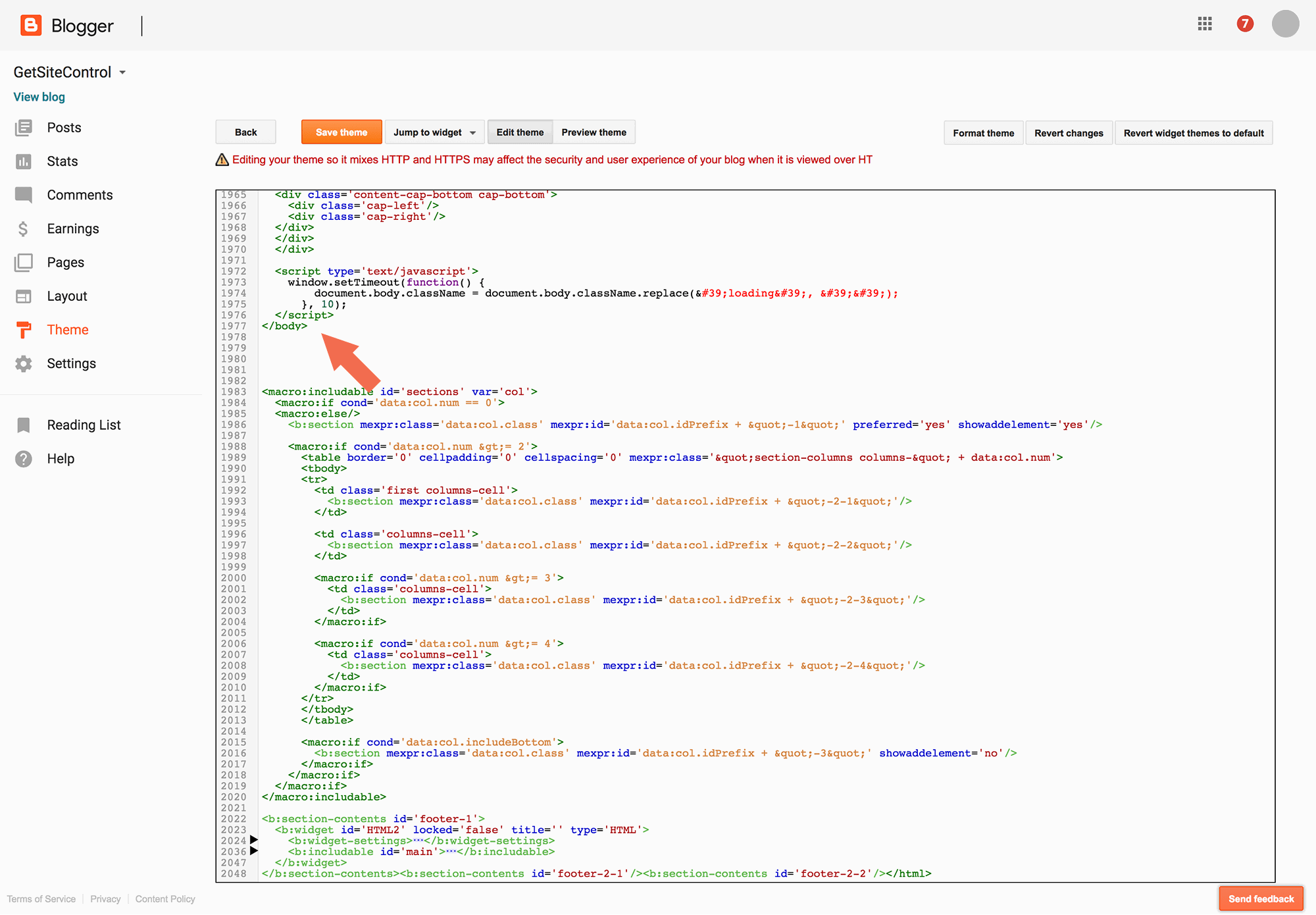
Step 6
Click Save theme to save the changes.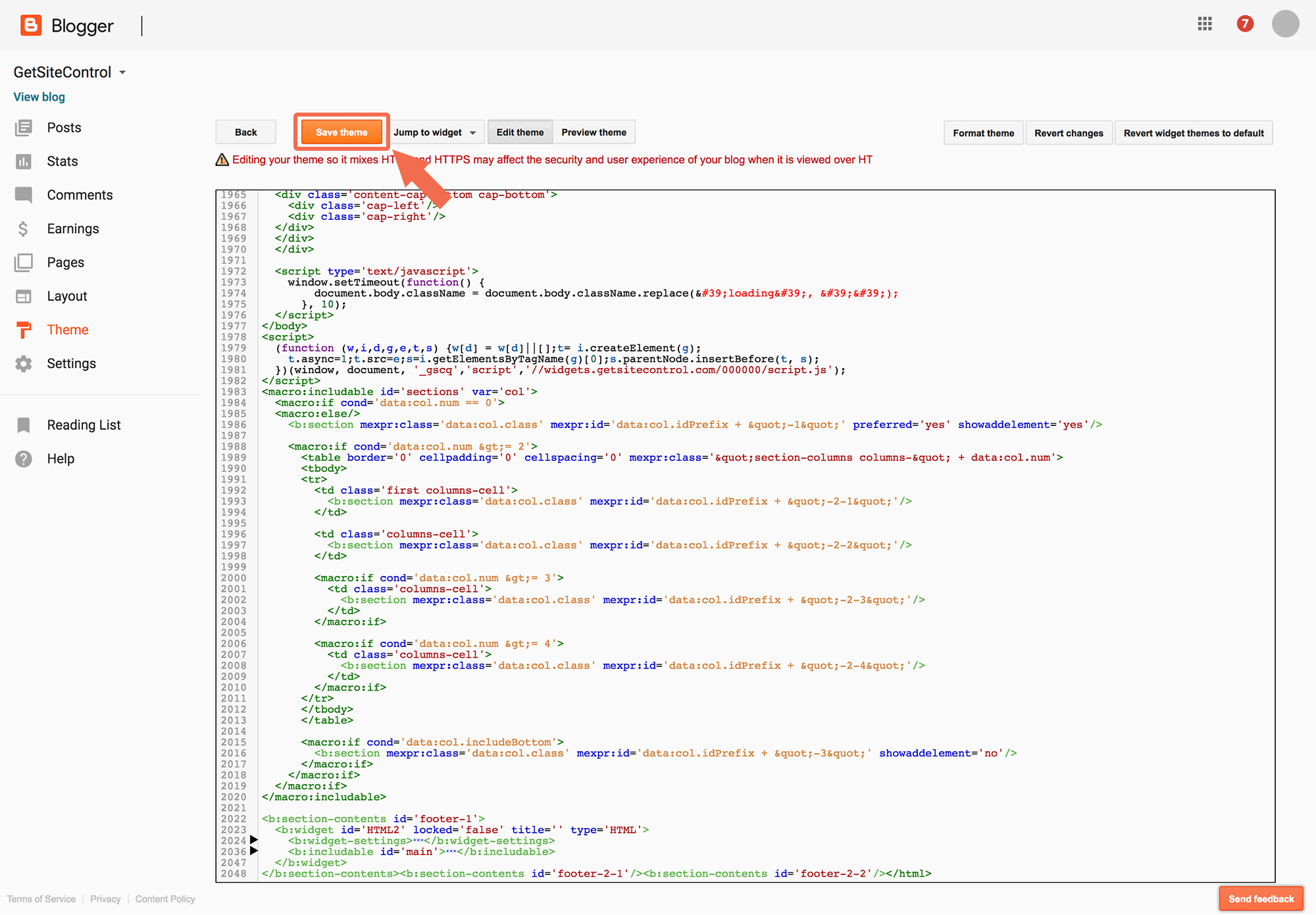
If you have any questions, feel free to contact us at support@getsitecontrol.com.

Post a Comment